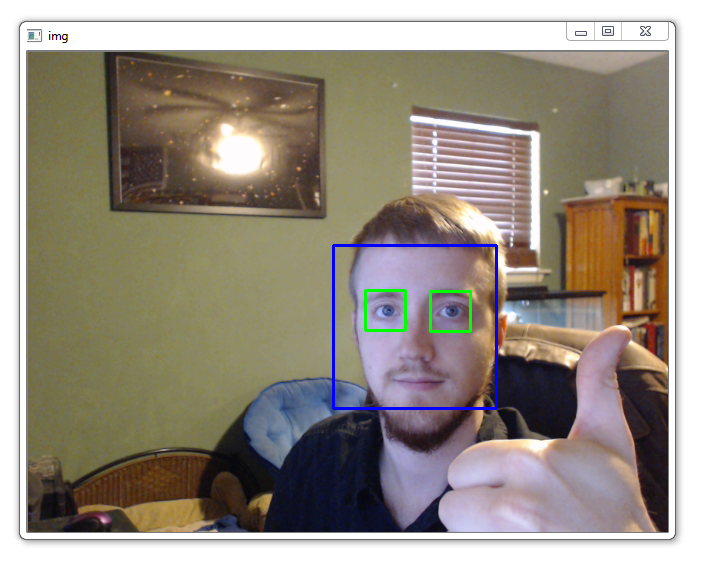

2.5D glasses demo
to-do list
- capture video from camera
- read an image from a file
- delete the image background to get a transparent image
- find all faces in frames
- find all eyes in the faces that you already found
- how to resize a picture
- rotating a picture in opencv [ps: you can use pillow, opencv, numpy and etc]
- when rotating an image you will see a black box around your image, try to delete it by resizing the image or what ever way you want
- find the distance between the eyes
- resize the glasses based on this value
- find the rotation degree of the eyes
- rotate glasses based on this value
- add two images together
relevant links
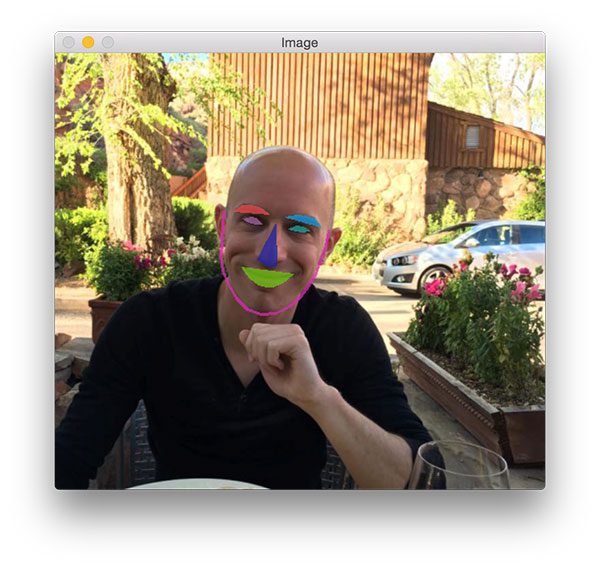
Detect eyes, nose, lips, and jaw with dlib, OpenCV, and Python - PyImageSearch
Today's blog post is part three in our current series on facial landmark detection and their applications to computer vision and image processing. Two weeks ago I demonstrated how to install the dlib library which we are using for facial landmark detection. Then, last week I discussed how to use dlib to actually detect facial landmarks in images.
Using opencv and dlib for face pose estimation (python) - Programmer Sought
In computer vision, the pose of an object refers to its relative orientation and position relative to the camera. This article mainly refers to the article "Head Pose Estimation using OpenCV and Dlib".

How to build a document scanner with OpenCV ?
Designing a manual document scanner can be done in a very simple way using python and OpenCV. We need to use the numpy and OpenCV libraries. If they are not already setup, just run the following lines at the command prompt (powershell, bash...).
