Camera Calibration with Python - OpenCV - GeeksforGeeks
| Created | |
|---|---|
| Tags | |
| URL | https://www.geeksforgeeks.org/camera-calibration-with-python-opencv/ |
Prerequisites: OpenCV
A camera is an integral part of several domains like robotics, space exploration, etc camera is playing a major role. It helps to capture each and every moment and helpful for many analyses. In order to use the camera as a visual sensor, we should know the parameters of the camera. Camera Calibration is nothing but estimating the parameters of a camera, parameters about the camera are required to determine an accurate relationship between a 3D point in the real world and its corresponding 2D projection (pixel) in the image captured by that calibrated camera.
We need to consider both internal parameters like focal length, optical center, and radial distortion coefficients of the lens etc., and external parameters like rotation and translation of the camera with respect to some real world coordinate system.
Required libraries:
- OpenCVlibrary in python is a computer vision library, mostly used for image processing, video processing, and analysis, facial recognition and detection, etc.
- Numpyis a general-purpose array-processing package. It provides a high-performance multidimensional array object and tools for working with these arrays.
Camera Calibration can be done in a step-by-step approach:
- Step 1: First define real world coordinates of 3D points using known size of checkerboard pattern.
- Step 2: Different viewpoints of check-board image is captured.
- Step 3: is a method in and used to find pixel coordinates for each 3D point in different images
findChessboardCorners()
OpenCV
(u, v)
- Step 4: Then method is used to find camera parameters.
calibrateCamera()
It will take our calculated (threedpoints, twodpoints, grayColor.shape[::-1], None, None) as parameters and returns list having elements as Camera matrix, Distortion coefficient, Rotation Vectors, and Translation Vectors.
Camera Matrix helps to transform 3D objects points to 2D image points and the Distortion Coefficient returns the position of the camera in the world, with the values of Rotation and Translation vectors
Below is the complete program of the above approach:
# Import required modules
import cv2
import numpy as np
import os
import glob


# Define the dimensions of checkerboard
CHECKERBOARD = (6, 9)


# stop the iteration when specified
# accuracy, epsilon, is reached or
# specified number of iterations are completed.
criteria = (cv2.TERM_CRITERIA_EPS +
			cv2.TERM_CRITERIA_MAX_ITER, 30, 0.001)


# Vector for 3D points
threedpoints = []

# Vector for 2D points
twodpoints = []


# 3D points real world coordinates
objectp3d = np.zeros((1, CHECKERBOARD[0]
					* CHECKERBOARD[1],
					3), np.float32)
objectp3d[0, :, :2] = np.mgrid[0:CHECKERBOARD[0],
							0:CHECKERBOARD[1]].T.reshape(-1, 2)
prev_img_shape = None


# Extracting path of individual image stored
# in a given directory. Since no path is
# specified, it will take current directory
# jpg files alone
images = glob.glob('*.jpg')

for filename in images:
	image = cv2.imread(filename)
	grayColor = cv2.cvtColor(image, cv2.COLOR_BGR2GRAY)

	# Find the chess board corners
	# If desired number of corners are
	# found in the image then ret = true
	ret, corners = cv2.findChessboardCorners(
					grayColor, CHECKERBOARD,
					cv2.CALIB_CB_ADAPTIVE_THRESH
					+ cv2.CALIB_CB_FAST_CHECK +
					cv2.CALIB_CB_NORMALIZE_IMAGE)

	# If desired number of corners can be detected then,
	# refine the pixel coordinates and display
	# them on the images of checker board
	if ret == True:
		threedpoints.append(objectp3d)

		# Refining pixel coordinates
		# for given 2d points.
		corners2 = cv2.cornerSubPix(
			grayColor, corners, (11, 11), (-1, -1), criteria)

		twodpoints.append(corners2)

		# Draw and display the corners
		image = cv2.drawChessboardCorners(image,
										CHECKERBOARD,
										corners2, ret)

	cv2.imshow('img', image)
	cv2.waitKey(0)

cv2.destroyAllWindows()

h, w = image.shape[:2]


# Perform camera calibration by
# passing the value of above found out 3D points (threedpoints)
# and its corresponding pixel coordinates of the
# detected corners (twodpoints)
ret, matrix, distortion, r_vecs, t_vecs = cv2.calibrateCamera(
	threedpoints, twodpoints, grayColor.shape[::-1], None, None)


# Displayig required output
print(" Camera matrix:")
print(matrix)

print("\n Distortion coefficient:")
print(distortion)

print("\n Rotation Vectors:")
print(r_vecs)

print("\n Translation Vectors:")
print(t_vecs)
Input:
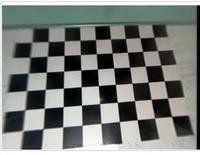
Click to enlarge
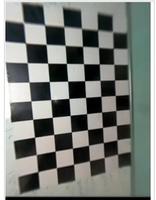
Click to enlarge
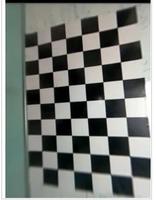
Click to enlarge
Output:
 Camera matrix:
[[ 36.26378216   0.         125.68539168]
 [  0.          36.76607372 142.49821147]
 [  0.           0.           1.        ]]

 Distortion coefficient:
[[-1.25491812e-03  9.89269357e-05 -2.89077718e-03  4.52760939e-04
  -3.29964245e-06]]

 Rotation Vectors:
[array([[-0.05767492],
       [ 0.03549497],
       [ 1.50906953]]), array([[-0.09301982],
       [-0.01034321],
       [ 3.07733805]]), array([[-0.02175332],
       [ 0.05611105],
       [-0.07308161]])]

 Translation Vectors:
[array([[ 4.63047351],
       [-3.74281386],
       [ 1.64238108]]), array([[2.31648737],
       [3.98801521],
       [1.64584622]]), array([[-3.17548808],
       [-3.46022466],
       [ 1.68200157]])]
Attention geek! Strengthen your foundations with the Python Programming Foundation Course and learn the basics.
To begin with, your interview preparations Enhance your Data Structures concepts with the Python DS Course.